20/10/2026



Industrial-grade identification is a vital part of your operation. If you fall into one of these two groups, we have a better solution for you:
HellermannTyton has redefined the label and sign experience for industrial users, with:


Get more done in a fraction of the time with HellermannTyton’s advanced – yet intuitively easy to use – labeling design and print software, TagPrint Pro 5.0.
Packed with capabilities you won’t find in competitive packages, you’ll get going fast with pre-saved designs of the most common safety and solar labels. Or, build your label from a template or from scratch using intuitive design tools that add bar codes, text and graphics with ease.
HellermannTyton’s exclusive Print Automation is the powerful workflow assistant built into TagPrint Pro 5.0. Automation nearly eliminates user errors, boosting profitability and productivity. Now, anyone on the shop floor – not just your label operator – can run print jobs effortlessly.
You probably print a batch of labels for a single job. Here’s a tip: Instead of opening each label individually, create a job folder and give it an easy-to-identify group name. Then, just drag and drop all the applicable files into the folder. No more opening the files individually.
This not only saves time, it ensures the operator won’t select an incorrect label.
For frequently used label groups, “pin” the batch name right to your file menu and access the labels in an instant.
Manual data entry has a way of attracting mistakes. Human errors are a common, costly problem when it comes to label printing.
Among print automation’s biggest strengths is the ability to reduce or completely eliminate operator error.
Set up commonly used label files once, check them for accuracy, then store them – complete with their individual print quantities, printer destinations, variable data instructions and more. No need for the operator to enter any information.
Searching for, opening and printing label files individually is tedious. And there is always a chance an operator will select the wrong printer, enter the wrong quantity or mistype variable data.
With HellermannTyton print automation, the creator of the label (or template) can store information such as printer destination, quantity and variable data within the file.
The operator simply scans a bar code on the work order – or enters a job number – for instant printing.
In fact, print automation is so much better when batch printing to multiple printers – each preloaded with a different label stock. The entire job prints to each printer simultaneously. No waiting for one file to print before the next one begins.
Love the idea of hands-off label printing, but need the ability to customize data for certain jobs? No problem.
Just set up optional user prompts to remind operators to verify the printer has the right label stock, or allow them to enter a quantity, add control numbers or enter a date code.
Print automation is about defining a smarter workflow, reducing errors and waste, and being more productive.
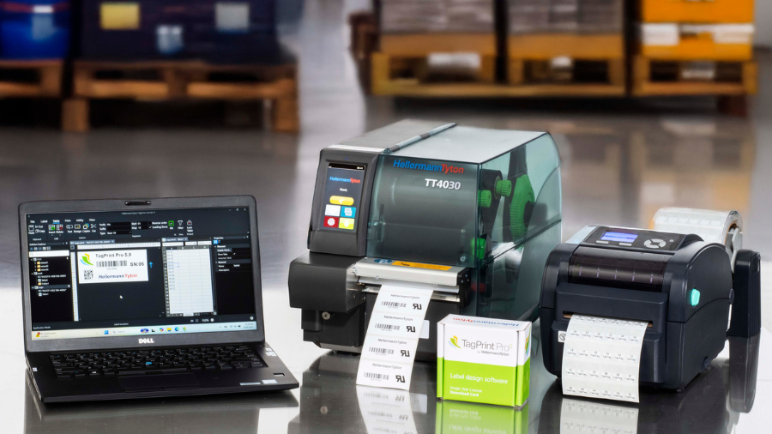


Designed for low- to high-volume, industrial-grade printing, HellermannTyton thermal transfer and inkjet printers create long-lasting, durable labels for a variety of indoor and outdoor applications and environments. Built to last, these printers are manufactured to handle constant daily use in the busiest shops.


HellermannTyton believes its products should be easy to use and maintain. We support you with multiple convenient ways to access printer and software help, plus a robust warranty to protect your investment.
 Czech
Czech  Danish
  English (Australia)
  English (India)
  English (Singapore)
  English (United Arab Emirates)
  English (United Kingdom)
  French
  German
  German (Austria)
  German (Switzerland)
  Hungarian
  Italian
  Polish
  Portugese (Brazil)
  Romanian
  Slovenian
  Spanish
  Turkish